Object Segmentation
Steps
1.Click on the ObjectSegmentDlg  button, a pop-up dialog appears:
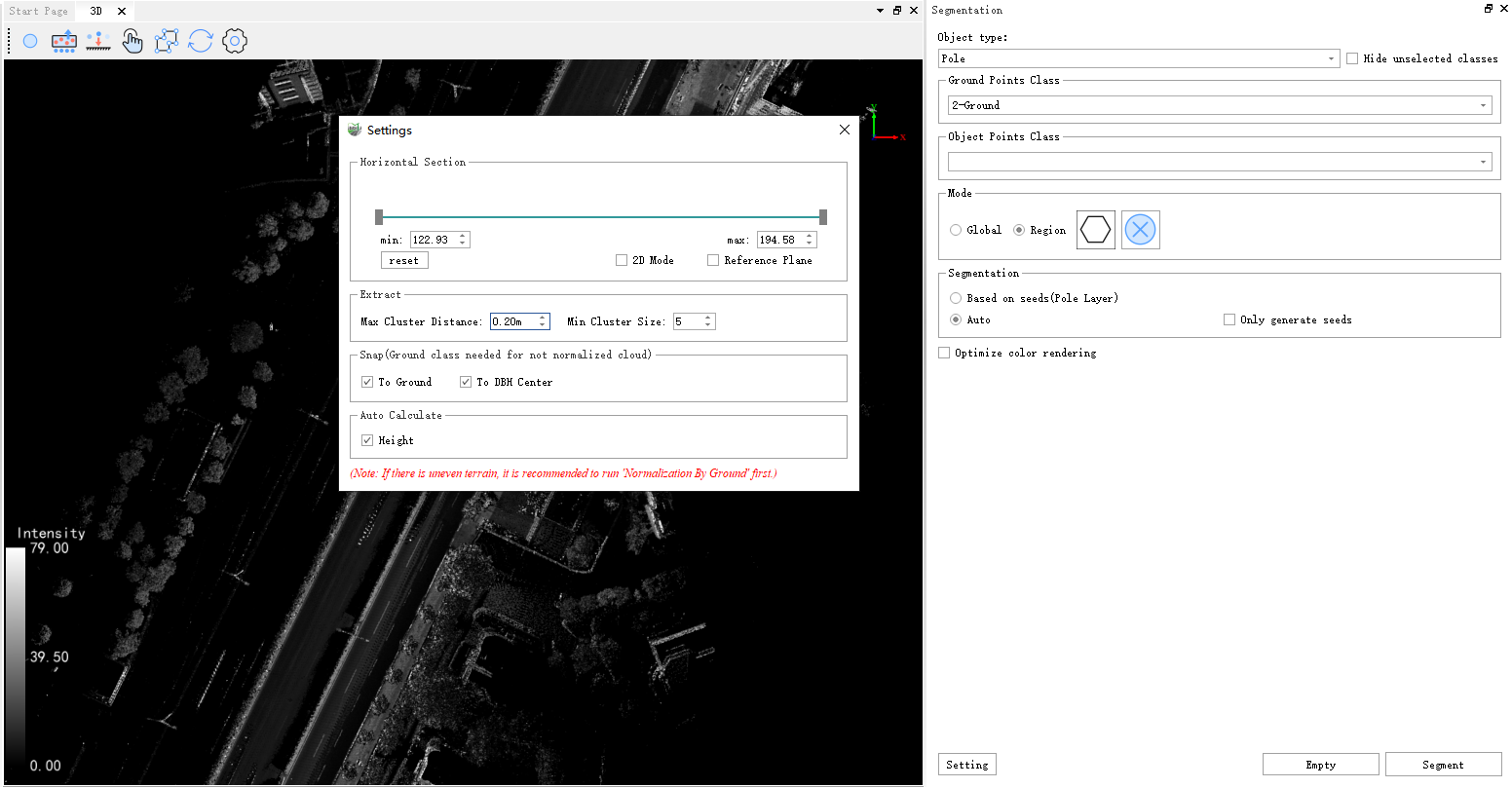
Parameter Description:
Object Type: The category where the individual to be segmented is located (for example, when segmenting 'vehicle', check the point cloud category where 'vehicle' is located).
Object Class: Currently, there are three options: poles, vehicles, and buildings.
Ground Class: The category where the ground points are located (the ground point category is checked to assist segmentation and improve algorithm robustness).
Max Cluster Radius: Minimum distance between clusters.
Min Cluster Size: Minimum number of points in a single cluster.
Optimize color rendering: Optimize the rendering of adjacent individual trees, ensuring that the colors of adjacent individual trees are different.
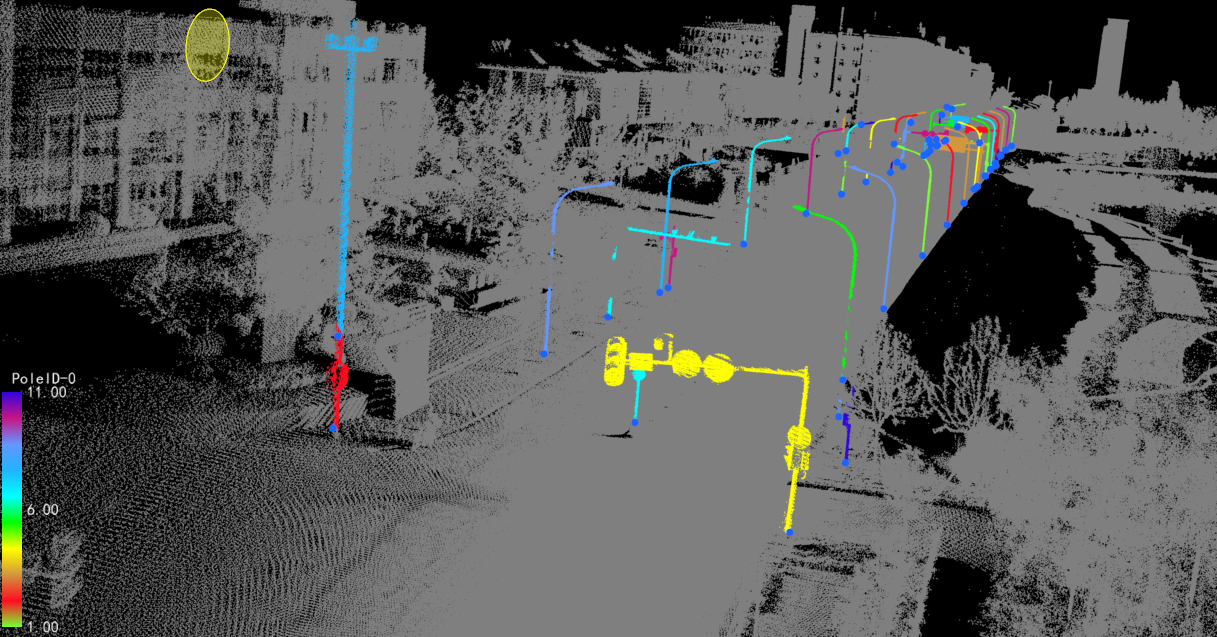
2.After clicking OK, the segmentation result is as shown in the figure: