Edit Script Tool Properties
- Right-click the Script Tool and select Properties.
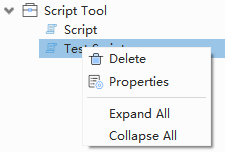
Script Tool context menu
- Change the label or description, and then confirm.
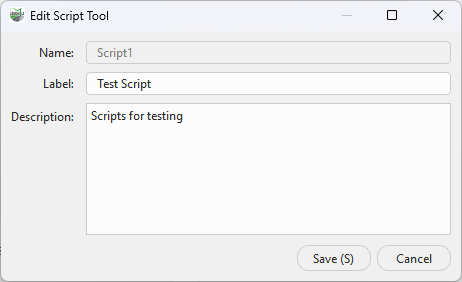
Edit Script Tool properties
The internal Name cannot be changed after creation. The Label is the Toolbox display name and must remain non-empty and unique.
Effects
Properties change only the Label and Description; edit code in the Script Editor. Saving synchronizes the Toolbox text and the title of an open editor. A duplicate Label is rejected.