Adaptive Downsampling
Steps
1.In the Toolbox, select Data Management >> Point Cloud Tools >> Adaptive Downsampling, or directly type Adaptive Downsampling in the search bar and double-click to open the interface as shown below:
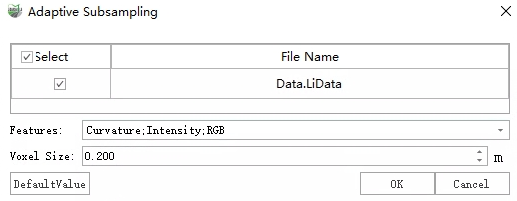
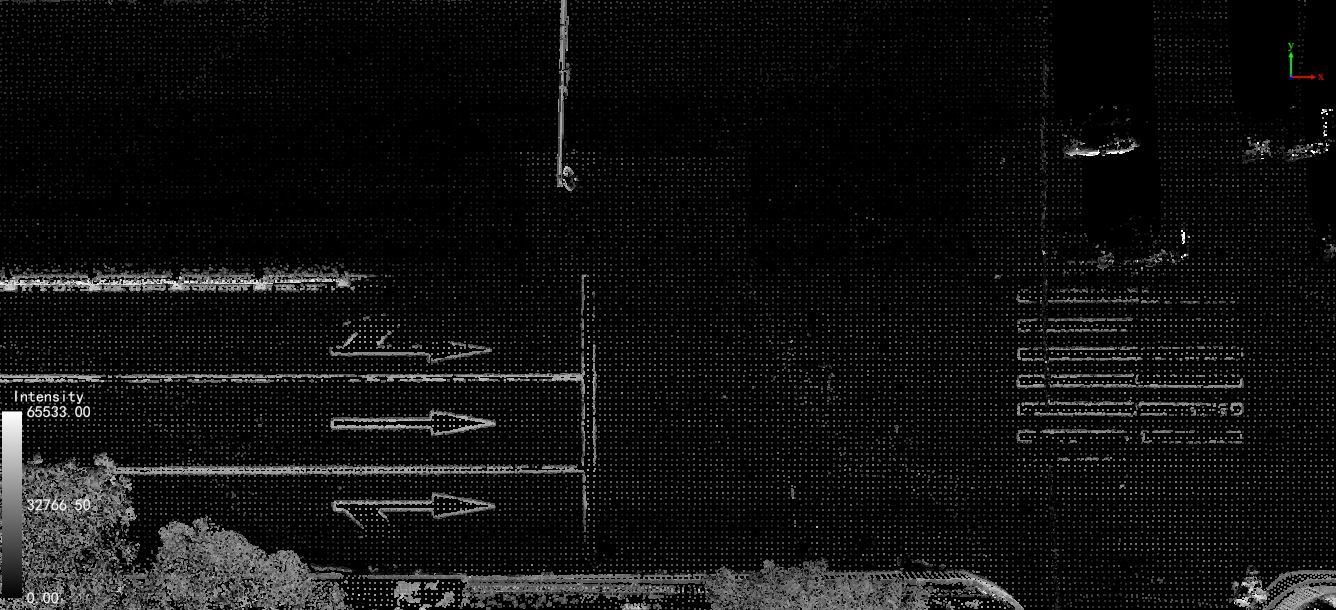
2.Set the feature types to participate in sampling and the voxel size, then click OK. The result after downsampling is shown below.
Parameters
Features: If the selected feature information is missing in the point cloud, it will degrade to conventional voxel downsampling.
Curvature: Fewer samples in flat areas, more samples in curved areas.
Intensity: Requires intensity information in the point cloud; fewer samples where intensity is smooth, more samples where intensity changes.
RGB: Requires color information in the point cloud; more samples in regions with rich texture.
Voxel Size: Used as the downsampling size in areas with fewer features.