Auto Vectorization
Note: This function is applicable to indoor house plans and other data with obvious linear elements.
Steps
1.Click the Auto Vectorization button to bring up a pop-up box:
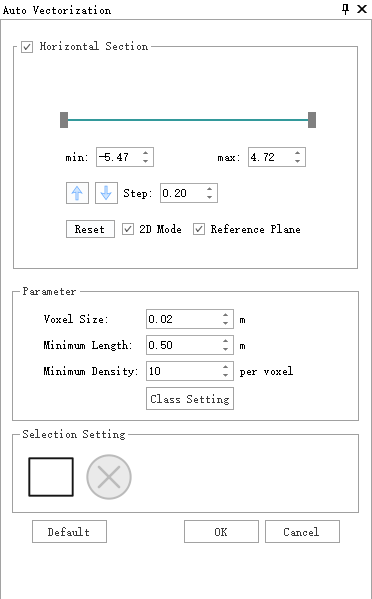
Parameter Dialogue
Parameter Description:
Horizontal Section Tool: Used to adjust the position and thickness of the horizontal section.
- Minimum / Maximum: Define the lower and upper positions of the horizontal section.
- Vertical Size: Sets the movement increment. Combined with the Move Up
 or Move Down
  button, the section can be shifted by the specified step size.
 - Reset: Restores all parameters to their default values.
- Plane Height: Displays the real-time height of the horizontal section. When selected, the plane height is locked and does not change with the minimum value, although it can still be entered manually. When cleared, the plane height updates dynamically with the minimum value.
To ensure data quality, the extracted horizontal section should exclude horizontal surfaces such as floors and ceilings as much as possible, keeping only vertical wall structures. To maintain sufficient point density, a thickness (Maximum - Minimum) of at least 0.5 meters is recommended.
Parameters:
Voxel Size: The sampling resolution of the point cloud data.
Smaller voxels provide higher resolution and accuracy but increase computation time. The default value is recommended.
Minimum Length: The shortest length of generated vector lines. Lines shorter than this threshold will be filtered out, helping remove small fragmented segments. Adjust based on actual needs.
Maximum Wall Thickness: During point cloud acquisition, a wall is often captured as two separate point cloud planes. Increase this threshold to merge the two planes into a single vector line, or decrease it to keep them separate where possible. If the value is too small, it may affect proper extraction.
Corner Radius: The search radius used to detect intersections at wall corners.
Class Settings: Used to specify which point cloud categories participate in the calculation. After classification, it is recommended to select only relevant categories (such as walls and columns) for floor plan generation.
Selection Settings:
- Polygon Selection
 : Selects a region of the point cloud; only vector data within this region will be generated. By default, all point cloud data is used.
 - Cancel Selection
 : Clears the selected region.
- Polygon Selection
Create Layer: Manually creates a floor plan vector layer and a corresponding annotation layer. The layer height is based on the defined plane height of the horizontal section.
Default: Restores parameter settings to their default values.
Extract: After setting parameters, click "Extract" to start automatic detection. If no floor plan layer with a defined plane height exists, a vector layer and a corresponding annotation layer will be created automatically.
Cancel: Exit the function.
2.Click OK to detect automatically
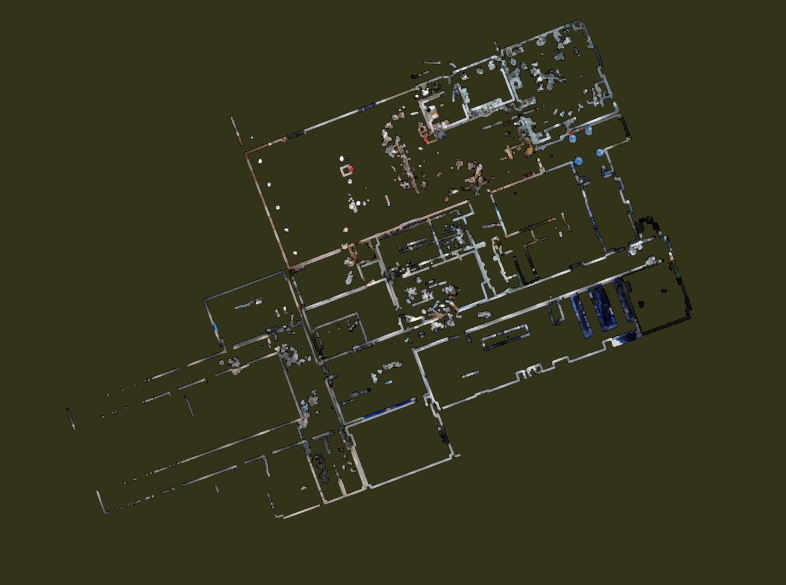
Horizontal section point cloud
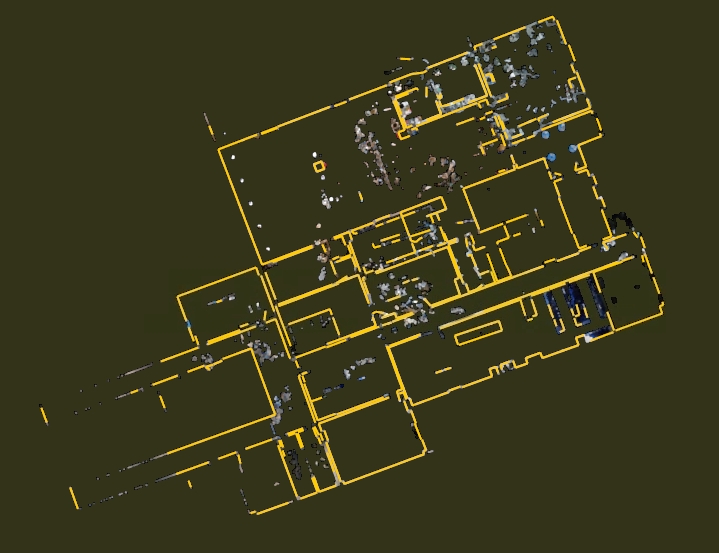
Detection results