Fix Selection Width
Function Description:When delineating a rectangular local area, it is sometimes necessary to fix the width of the rectangle.
Step
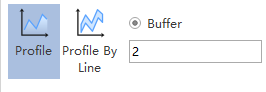
1.Set the Profile Toolbar Buffer column, e.g. fixed width: 2 meters:
2.Tap the circular checkbox to the left of the Buffer column to change to solid.
3.Move the mouse to the 3d window, zoom and pan the scene to the target area, single left mouse button to establish the first endpoint, move the mouse and click the left mouse button to establish the second endpoint. The two endpoints are used to determine the direction of the profile.