Create a Script Tool
Steps
- In the Toolbox, right-click the Script Tool group and select New.
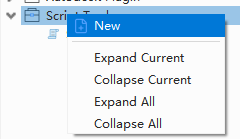
New Script Tool command
- Enter the name, label, and description.
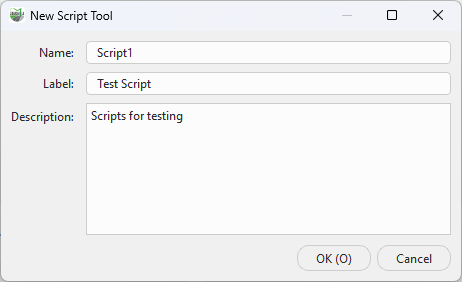
Script Tool details
- Confirm the operation. The new item appears in the Script Tool group.
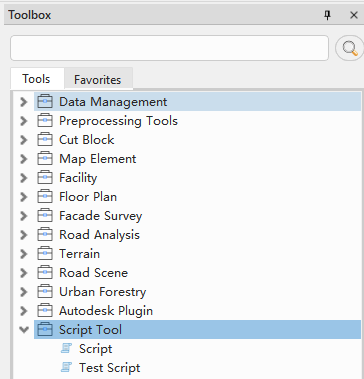
Created Script Tool
Fields
- Name: Internal name. Use letters, numbers, and underscores. It must be non-empty and unique, and cannot be changed after creation.
- Label: Name displayed in the Toolbox. It must be non-empty and unique.
- Description: Purpose of the Script Tool.
Validation and naming
- Name accepts letters, numbers, and underscores, cannot be a reserved Windows device name, and must be unique without regard to case.
- Label must be non-empty and unique. Description is optional, but should state the purpose, input, and output.
- The dialog validates fields immediately and disables confirmation while an error remains.
Use a stable business name such as extract_ground_points. The new tool contains a default script template that you can replace after opening the editor.