extract_by_TreeID
Function Description: Extracts points with the specified target Tree ID values from a point cloud and generates new point cloud files.
Steps
1.From the Tools drop-down menu , click extract_by_TreeID
 . The following dialog box appears:
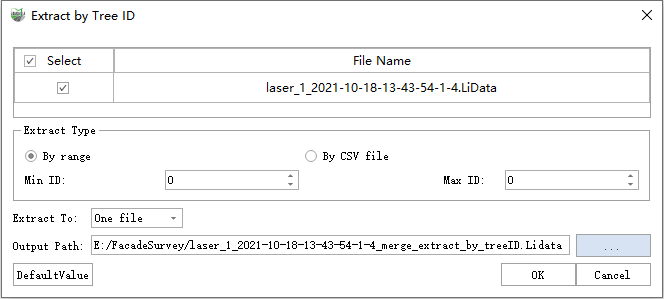
extract_by_TreeID
2.Select the point cloud file to extract.
3.Set the extraction type:
- All: Extracts point clouds for all Tree ID values in the file.
- By Range: Sets the minimum and maximum target Tree ID values.
- By CSV File: Imports a CSV file containing the target Tree ID values.
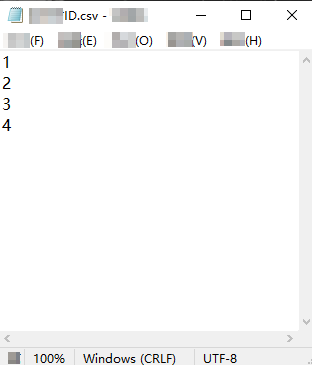
Tree ID CSV File Format
4.Set the output type:
- One File: Exports all target points to one point cloud file.
- Multiple Files: Exports the points for each target Tree ID to a separate result file.
5.Set the output file or folder and click OK.
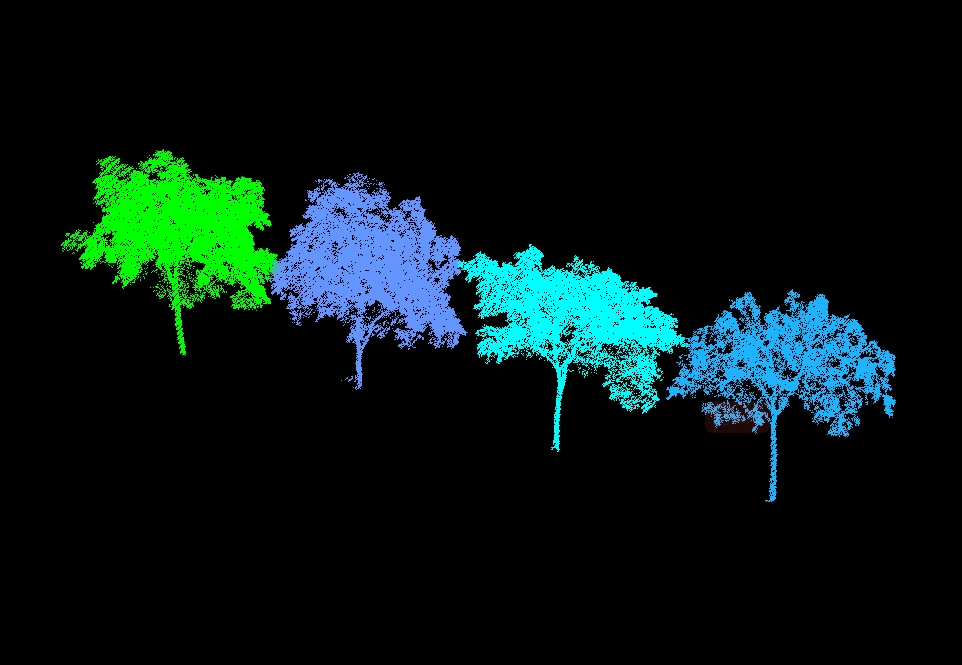
Extraction Result