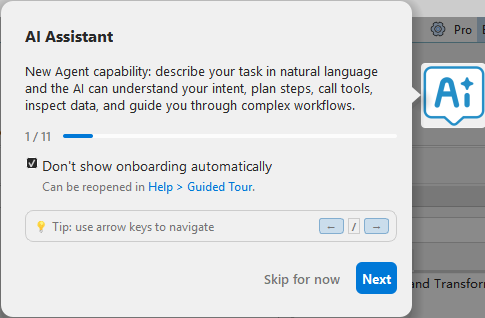
New User Guide
Function Description: The New User Guide introduces newly added functions, important features, and major version updates to help users quickly understand key software changes and improvements.
1. Display Conditions
The New User Guide is displayed automatically in either of the following situations:
- The software is started for the first time.
- The software is started for the first time after a version upgrade.
The guide presents the relevant features and operation entries step by step.
2. Guide Options
The following options are available while the guide is displayed:
- Do not automatically show guide again: Prevents the guide from being displayed automatically during subsequent software launches.
- Skip for now: Closes the guide for the current launch without displaying the remaining steps. The guide is displayed automatically again the next time the software starts.
3. Reopen the Guide
To reopen the guide manually, select Help > Guided Tour from the software menu.