Script Editor
The Script Editor lets you create and manage reusable Python Script Tools. You can maintain tools in the Toolbox, write and check code in the built-in editor, and call LiDAR360MLS functions through gvscript.
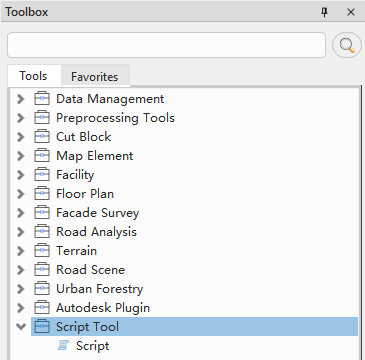
Script Tools in the Toolbox
Contents
Run
gvscriptcode inside LiDAR360MLS. Tool availability depends on the installed version, license, plug-ins, and required application state.
Recommended paths
- Quick start: Create a Script Tool, open the editor, adapt an example, save and check it, run it, and inspect the application Output window.
- Reference: Use the editing, code intelligence, parameters and results, runtime limitations, and troubleshooting pages as needed.
Script Tools are intended for repeatable operations, batch processing, and multi-step workflows. This guide assumes basic Python reading and editing skills.
Runtime log
On the ribbon, open Show/Hide > Windows and select Output. The Log Output window contains print() text, standard error, and execution records. Look for the ScriptTool category.