Compute Geometric Features
Function Description: Used to compute the geometric features of a point cloud.
Steps
1.In the Toolbox, select Data Management >> Point Cloud Tools >> Compute Geometric Features, or directly type Compute Geometric Features in the search bar and double-click to open the interface as shown below:
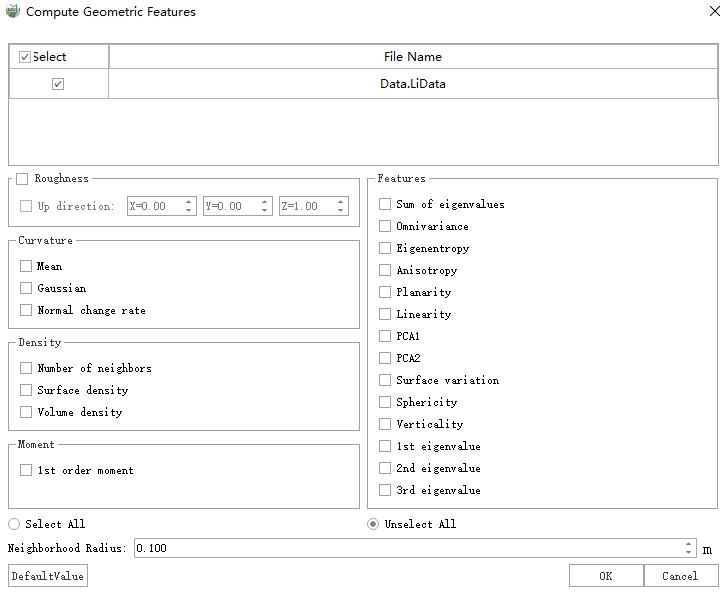
2.Select the target point cloud and check the features you want to compute.
3.Set the neighborhood search radius and click OK to perform the computation.
Parameters
- Neighborhood Radius: The range of the neighborhood size; points within the spherical radius participate in the feature computation.
Notes
Curvature: The computation method is based on Three-Dimensional Surface Curvature Estimation using Quadric Surface Patches.
Features: The computation methods for this set of features are based on timo-jan-cvpr2016.pdf.