PCS Text
Function Description: Perform concept segmentation via text input.
Steps
Click the Object Editor
 button to activate the editing environment, then click the PCS Text
  button in the Gaussian window toolbar to activate the function.
Draw a rectangle to select the area you want to analyze, as shown below:
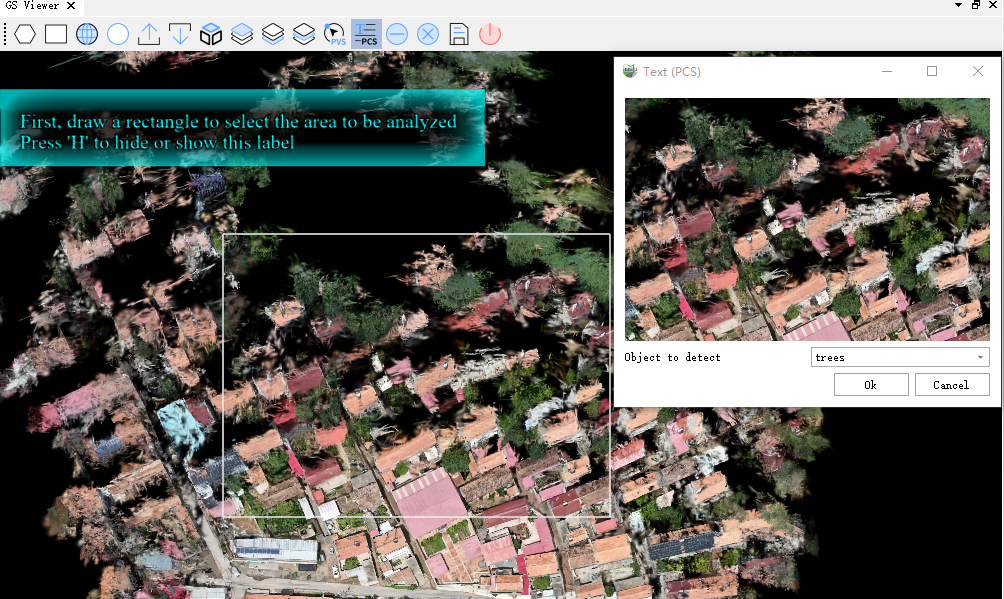
After selection is complete, double-click to open the area preview window and choose the type of object you want to detect.
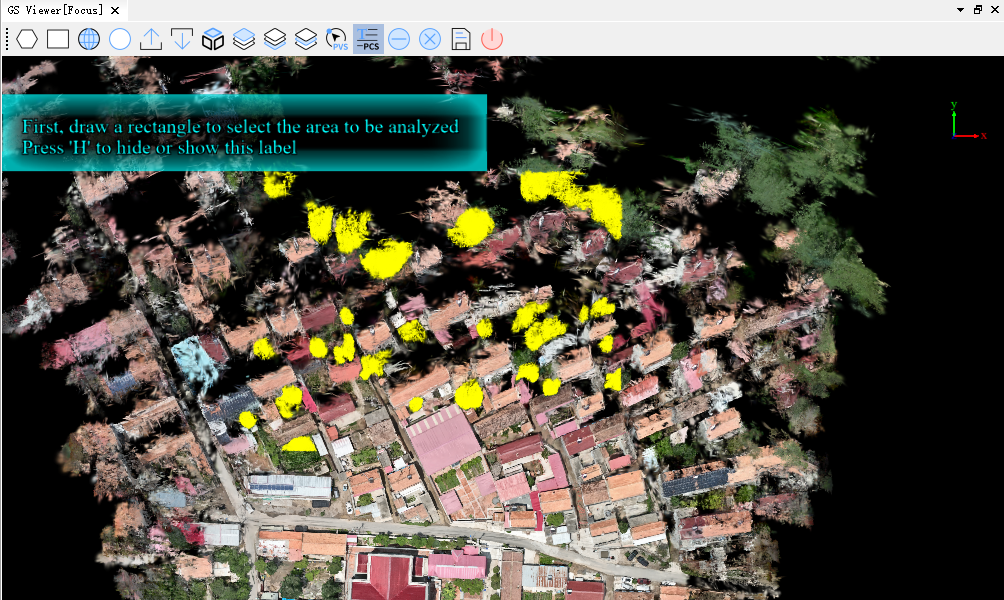
- Once the target object type is selected, click the Confirm button. The objects of the selected type within the area will be selected, as shown below:
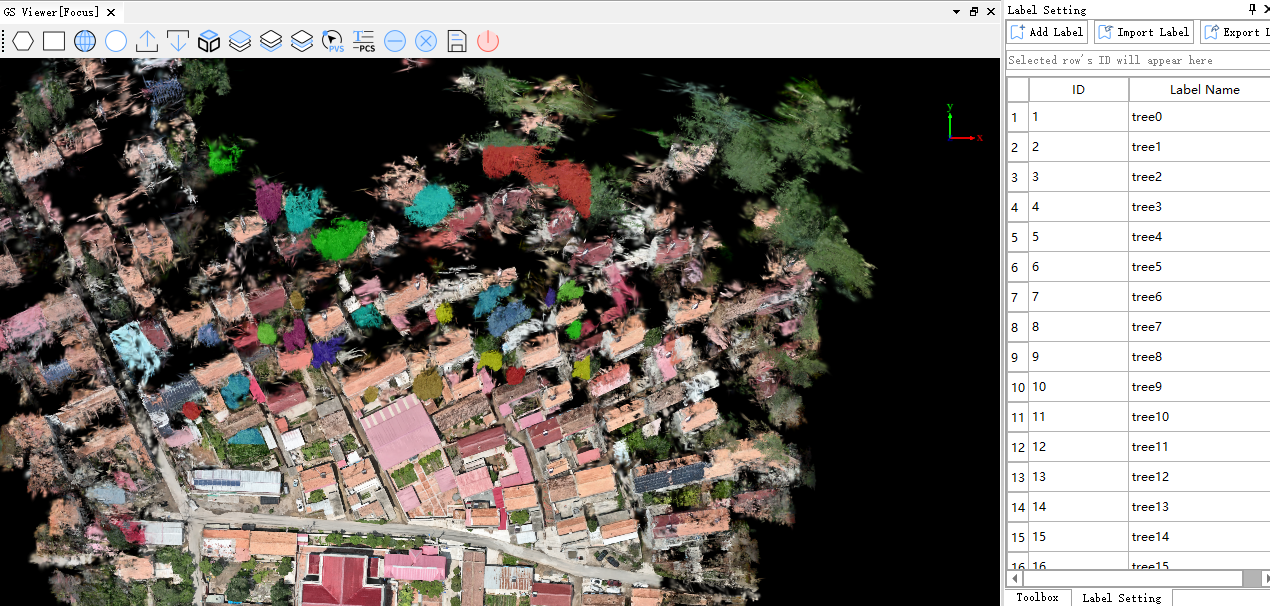
- Click Save to write the classification information for all selected areas into their attributes and generate labels, as illustrated below: