Segmentation
Function Description: Supports individual-tree segmentation. The function is described in detail below.
Steps
1.Click Segmentation .
.
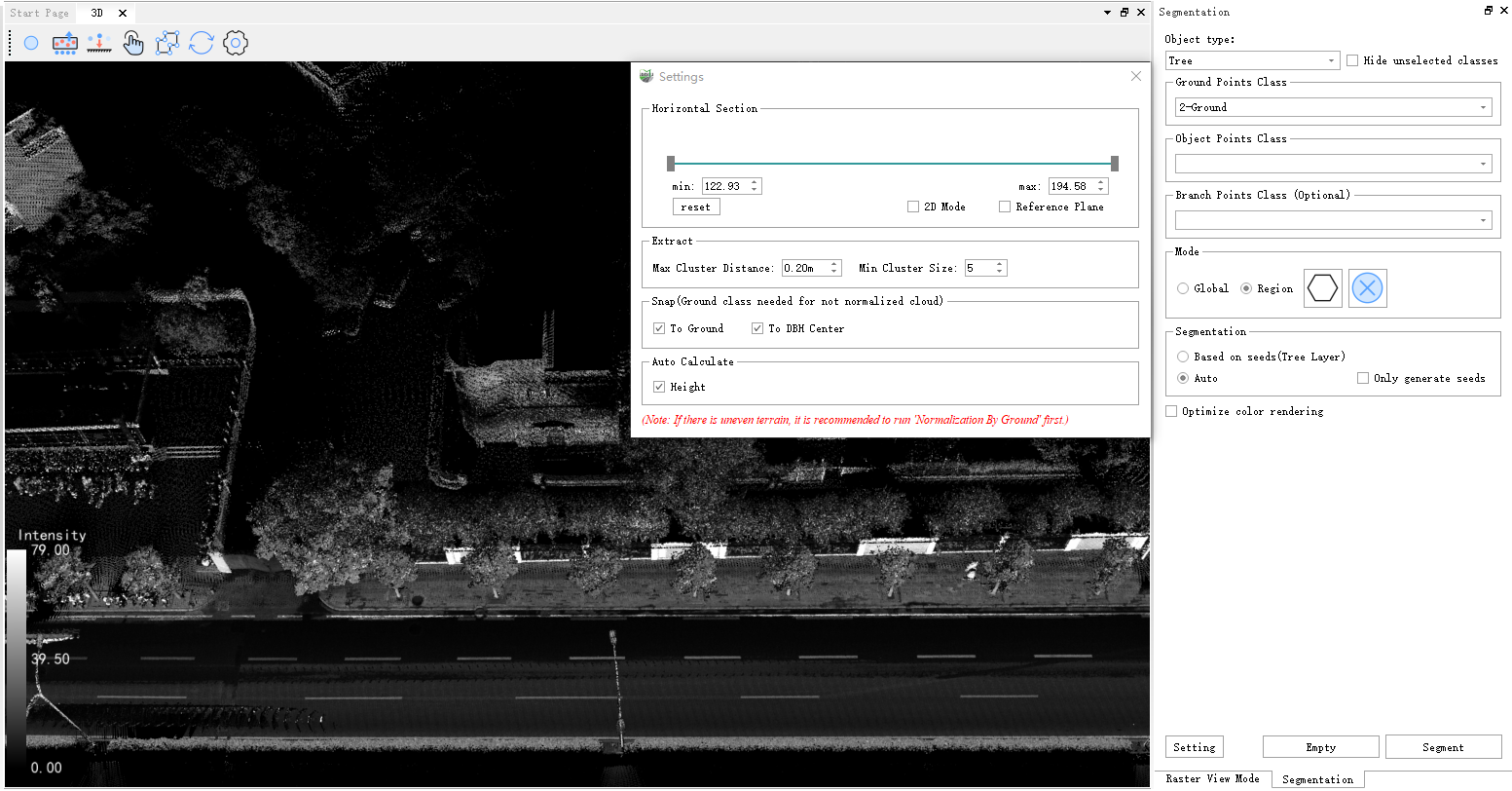
Parameter Description
- Ground Points Class: The class containing ground points. Selecting the ground class assists segmentation and improves algorithm robustness.
- Object Points Class: The class containing the target object points. For tree segmentation, select the class containing tree points.
- Trunk Points Class: The class containing trunk points. Selecting the trunk class improves segmentation and position-point calculation.
- Optimize Color Rendering: Optimizes the rendering of adjacent trees so that neighboring trees use different colors.
- Settings: Includes the initial trunk height, which is used only for tree segmentation and should be set to the minimum trunk height in the segmentation area; the minimum cluster size; and the maximum cluster distance.
- Segmentation: Tree segmentation consists of two stages, seed point generation and growth from seed points. Use the checkboxes to control the stages. If only Generate Seeds is selected, the result contains only seed points, which can then be added or repositioned manually. After the seed points are confirmed, select only Grow to generate the final segmentation result and control the number of trees.
2.Click Settings to open the settings dialog box.
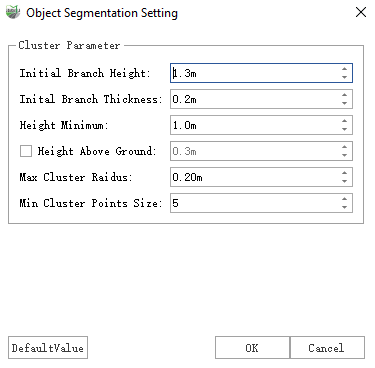
Parameter Description
- Initial Trunk Height: The center height of the point cloud slice used to cluster and generate seed points.
- Initial Trunk Thickness: The thickness of the point cloud slice used to cluster and generate seed points.
- Minimum Tree Height: Filters small trees from the segmentation result. Trees below this value are not segmented.
- Height Above Ground Points (Optional): When set, segmentation growth starts at the specified height above the ground rather than at ground level.
- Maximum Cluster Radius: The maximum spacing used for clustering. Points farther apart than this value are not placed in the same cluster. Reduce this value for dense trees.
- Minimum Cluster Size: Filters clusters containing fewer points than the specified value; such clusters are not treated as trees and are not segmented.
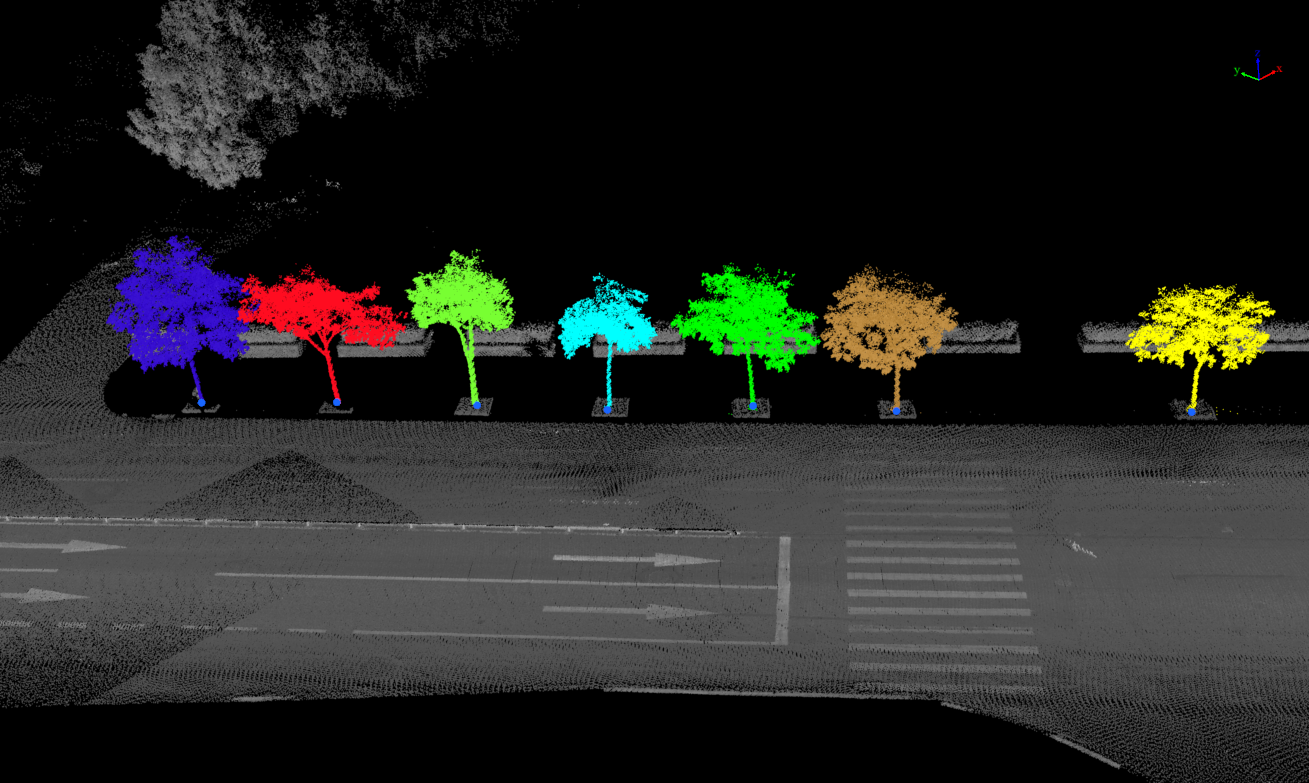
3.To segment trees using the object point class only, leave the trunk point class unselected, select the class containing trees as the object point class, complete the settings, and click Segmentation. The result is shown below:
4.To segment individual trees using trunk information, select the crown class as the object point class and the trunk class as the trunk point class.