Panaroma Completion
- Click the Panaroma Completion
 button to open the dialog:
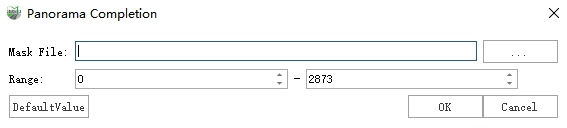
Panaroma Completion
Set the mask file and photo range. An Overwrite prompt will appear; select an option to proceed with completion.
Yes: Overwrites the original photos. This action is irreversible.
No: Generates new inpainted photos. These are saved in the same location as the original photos with the suffix "_inpainted" added to the filename. A new imglist file with the "_inpainted" suffix will also be generated.
The photos before and after completion are shown below.
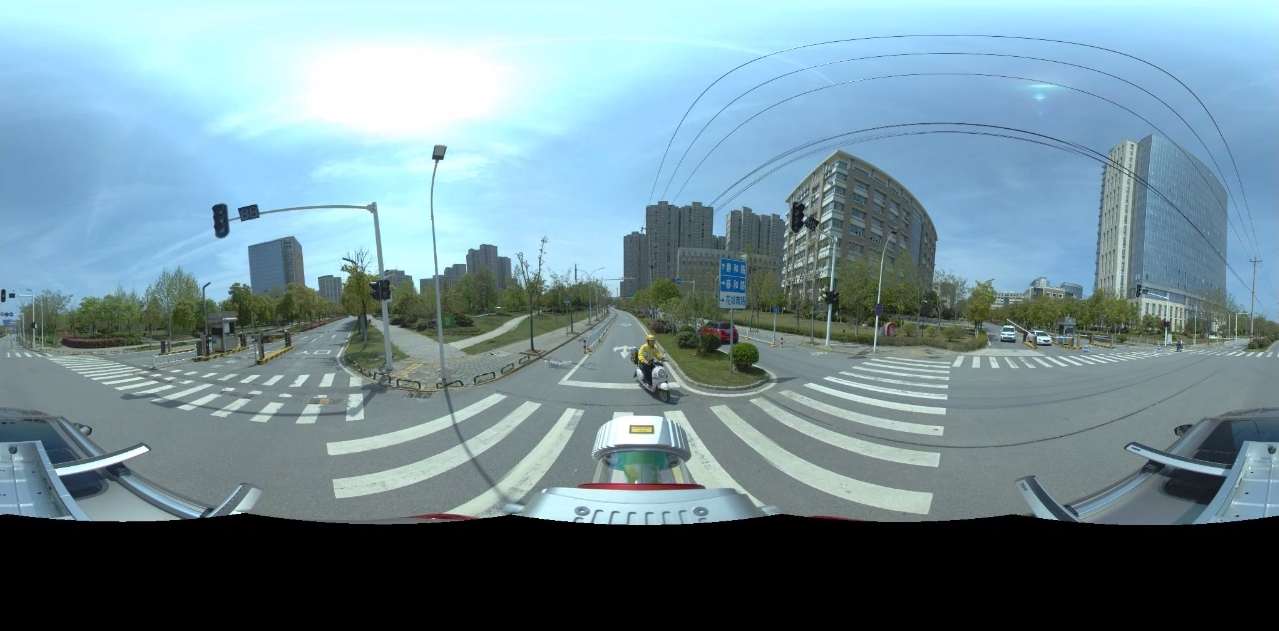
Before Panaroma Completion
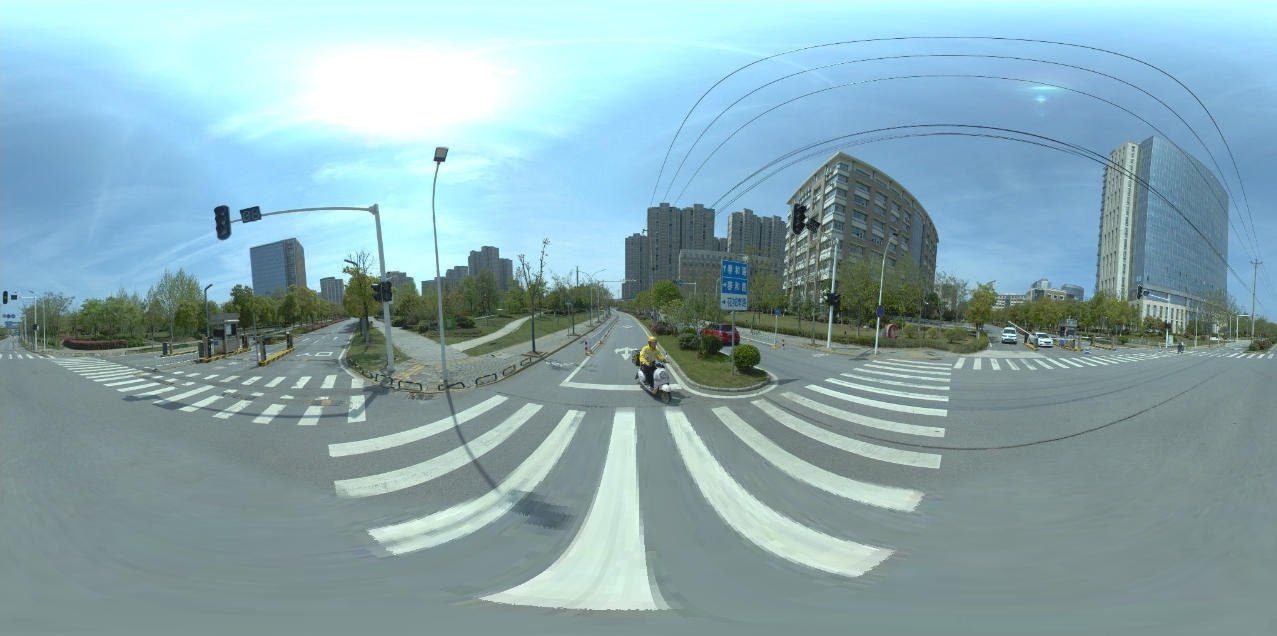
After Panaroma Completion
Parameter Description
Mask File: A black-and-white binary image used to identify device-occluded areas and define the regions requiring completion. Black indicates the area to be inpainted, and white indicates ignored areas.
Range: Specifies the ID range of photos to be inpainted; photos outside this range will be ignored.