Break Line by Distance
Description: Splits all line geometries in a feature class by distance and generates new lines.
Data Description
- Supports splitting line layers into one or more segments by a specified length.
- The attributes of the resulting line segments are inherited from the original line.
Steps
1.Go to Toolbox -> Vector Tools -> Cartography -> Split Line by Distance, and double-click to open the tool dialog.
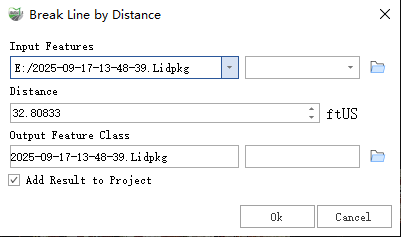
Break Line by Distance
Parameter Description:
- Input Features: The line feature class to be split.
- Distance: The interval distance at which the line will be split.
- Output Features: The line feature class containing the split results.
- Add Result to Project: This option is only applicable when the output feature class is saved to the project's gpkg database. When checked, it will automatically create a layer for the result and add it to the project.