Script Editor Interface
The Script Editor contains command tabs, the code editor, the Output panel, and a status bar.
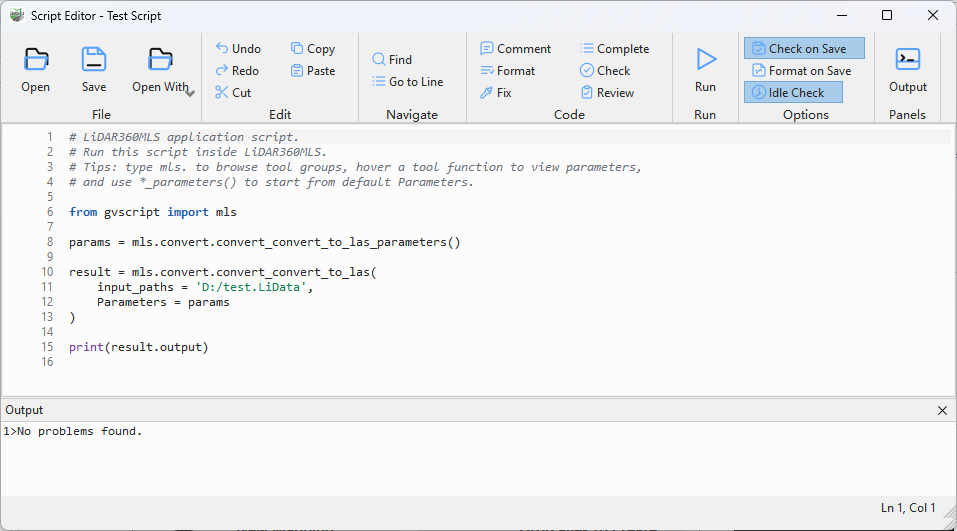
Script Editor interface
Tabs
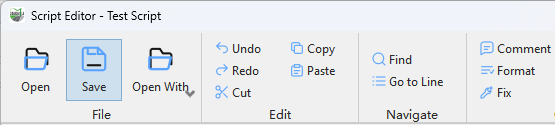
Home tab
- Home: Open, save, edit, find, navigate, comment, format, and fix code.
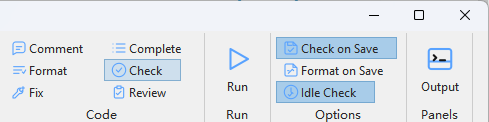
Script tab
- Script: Run, complete, check, and review code, and configure automatic options.
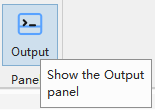
View tab
- View: Show or hide the Output panel.
The status bar shows the current state and cursor line and column.
Work areas
The code area provides line numbers, syntax colors, folding, and diagnostic marks. The editor Output panel lists Check and Review findings and can navigate to code; it is not a runtime console. The status bar reports operations, errors, and cursor position. Distinguish the editor Output panel from the application Log Output window.