Use the Output Panel
The Output panel primarily displays Check and Review findings. Select View > Output to show or hide it.
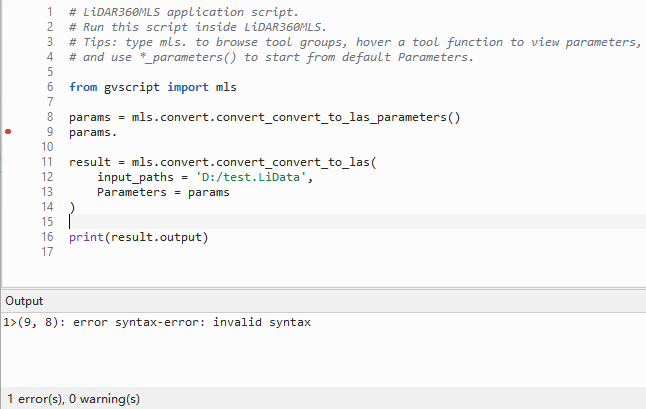
Findings in the Output panel
Each entry includes its location, severity, source, and message. Double-click an entry to go to its code location.
The Output panel is not the script runtime console. Run success or failure is shown in a message, while standard output and error are written to the application log.
Findings and runtime logs
Each item includes line, column, severity, source code, and message. Double-click it to navigate. The panel does not contain print() output. Open Show/Hide > Windows > Output in the main application and inspect the ScriptTool log category for runtime output.