Tree Species Identification
Function Overview
Tree Species Identification identifies tree species for individual trees and writes the results back to the tree attribute file. The tool supports point-structure-based identification, panoramic-image-assisted identification, and LLM-based identification.
Usage
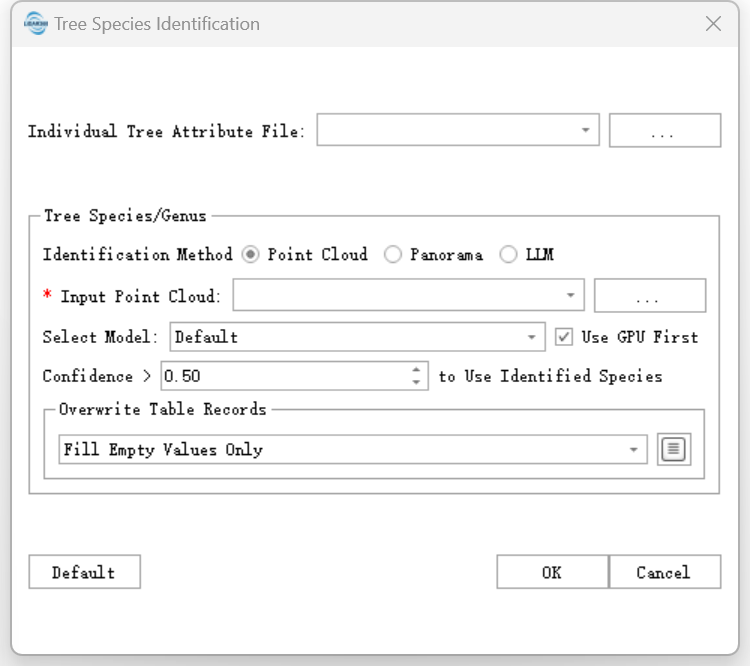
Click TLS Forest > Tree Species Identification to open the tool.
Point Cloud
LiData File: Point cloud file corresponding to the tree attribute file.
Tree Species Confidence: Confidence threshold for tree species identification.
Prefer GPU: Use GPU acceleration when a supported GPU is available.
Select Model: Select the tree species recognition model.
Parameter Settings
Input Data: Input individual tree attribute file (
*.treedb).Recognition Method: Method used for tree species identification.
Panoramic Images
Point Cloud File: Point cloud file corresponding to the tree attribute file.
Panoramic Image Path: Folder containing panoramic images.
Tree Species Confidence: Confidence threshold for tree species identification.
Use LLM Optimization: Use LLM optimization for the panoramic-image-based result.
LLM
Panorama Image: Optional panorama image path.
Projected Coordinate System: Optional coordinate system used with panorama images. See Define Projection.
Output
The tool updates the input tree attribute file with tree species and confidence information.
Notes
- Point-structure-based identification requires the corresponding LiData point cloud file.
- Panoramic-image-based identification requires both the point cloud and the panoramic image path.
- For LLM-based identification, panorama images and coordinate system information are optional and depend on the selected model capability.