Classify Powerlines
Summary
This function classifies power lines in point cloud data.
Usage
Click Classify > Classify Powerlines
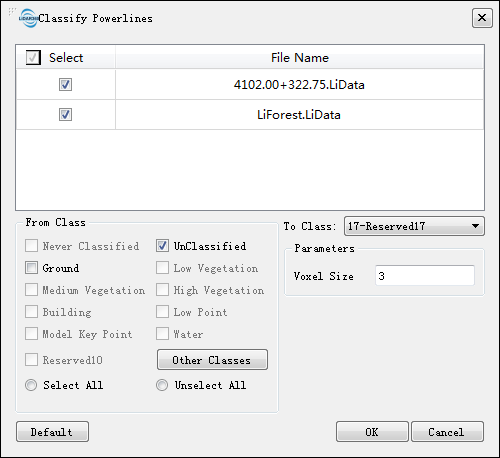
Settings
- Input Data: The input file can be a single point cloud data or a point cloud dataset, which must be opened in the LiDAR360 software.
- From Class: Source class(es).
- To Class: Target class.
- Voxel (default value is"3"):The general setting is 3 or 5. This value should not exceed the minimum distance between the power lines in the gear.
- DefaultValue: Click this button to set all parameters as default.