Out Cut
Functional Description: According to the currently selected area, all point cloud data in the window will be cropped, Select the point cloud in the area and hide the point cloud outside the area. (Shortcut key: Ctrl+Shift+X)
Steps
- Perform area selection first, refer to selection tools (Polygon Selection, Rectangle Selection, Sphere Selection and Inverse Selection etc.) to form the desired selection area.
- Click the Out Cut Button. The result is shown in the following figure.
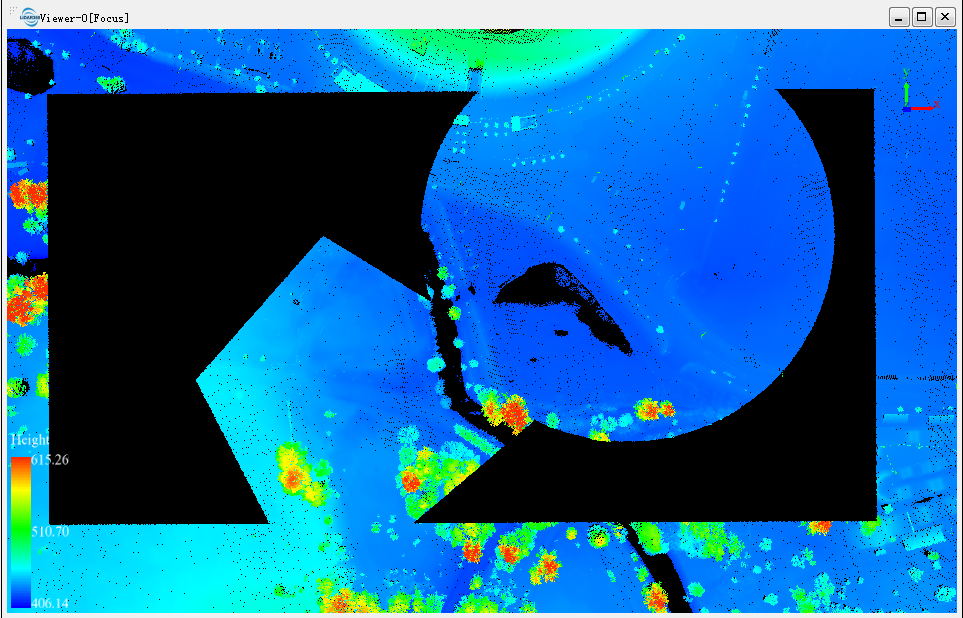
- You can repeat this function several times to get the result you need after one cut (Polygon Selection, Rectangle Selection, Sphere Selection, etc.) and clipping (including In Cut) work.
Parameters Settings
- Shortcut Key: Ctrl + Z to undo the cut operation. The corresponding selection is also canceled.
Note: This function is only applicable to point cloud data.