Polygon Selection

Functional Description: Select point cloud data in polygon area. (Shortcut key: Shift+P)
Steps
- Click the function button, which is in the box selected state, to activate the function.
- Add polygonal vertices by left click. Select the vertex position of the polygon, the program will automatically form a closed polygon, as shown in the figure.
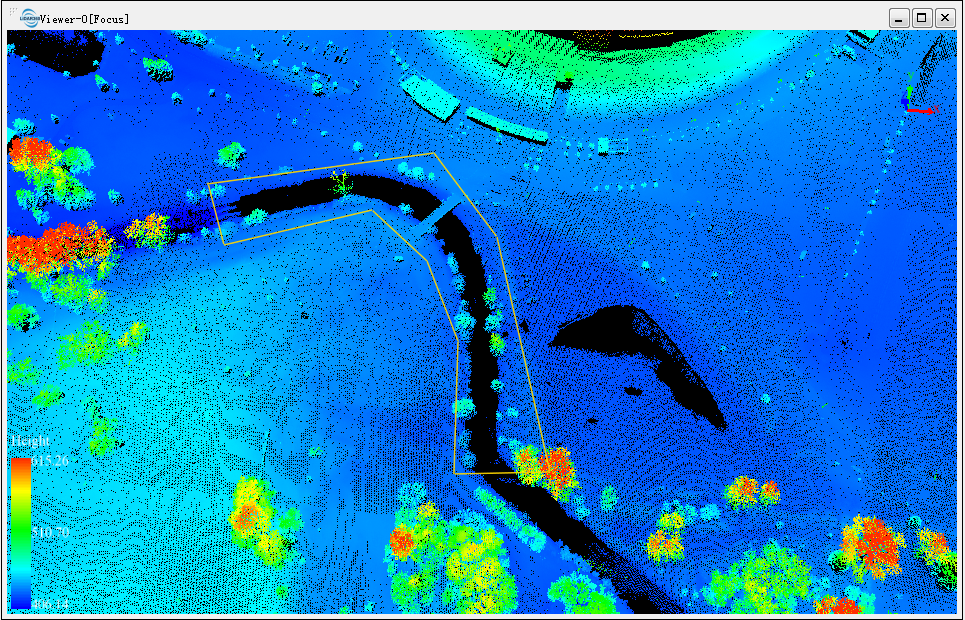
- If the vertex position of the polygon is incorrectly selected, you can right-click the vertex selected last time to cancel the operation for several consecutive times.
- Double-click the last vertex position to end vertex selection, identify the point cloud in the selected polygon area and highlight (red).
- After one selection is over, another selection can be made on the basis of the first selection.
- Each selection area will be selected according to the state of Inverse Selection to add or subtract the selection area.
Note: This function is only applicable to point cloud data.