Update Alignment
Function Overview
If image alignment has already been completed, click Update Alignment to align the aerial triangulation results to POS and control points.
Usage
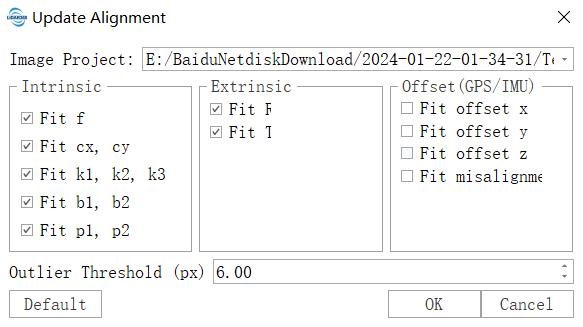
- Click "Update Alignment." In the pop-up dialog box, select the image project for which you want to perform the update alignment.
- Select the parameters to be optimized. These parameters are the same as the image alignment parameters. For details, refer to the Image Alignment parameter page.
- After confirming that the parameters are correct, click OK to start Update Alignment.
Note: Only image projects that have completed image alignment can perform Update Alignment.