Volume of Closed Model
Functions Overview
Calculate the volume of a closed model and display the results on the interface. If the model is not closed, the calculation cannot be performed and a prompt dialog box will pop up. This function needs to ensure that the connection order of each triangle in the model is all counterclockwise or all clockwise, otherwise the volume value cannot be calculated correctly.
Usage
Click Mine > Volume of closed model.
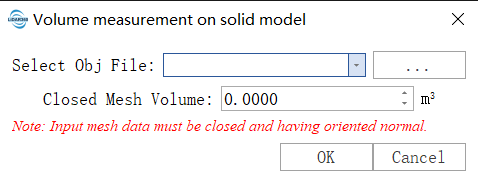
Parameter settings
- Select the ojb model file:Import model file. file format:*.obj.
- Volume of closed model: The volume of the returned closed model is shown here.