Texture Mapping for 3D Mesh
Feature Overview
Use the image engineering (.liaep) file to texture map the existing 3D mesh, supporting texture mapping of obj and 3dtile models.
Usage
- Click Photo > Texture Mapping for 3D Mesh to pop up the texture mapping interface:
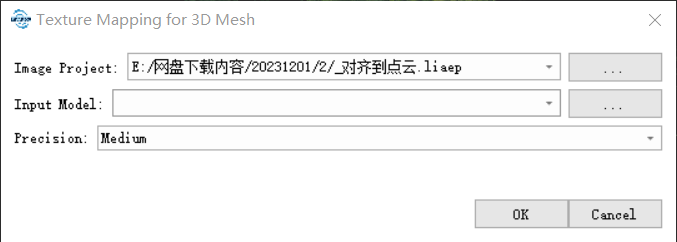
Select the image project (.liaep) file to be used.
Select the 3D mesh that needs to be mapped, and supports obj and 3dtile formats. If it is in 3dtile format, select the top-level index json file.
Parameter Settings
- Precision: The degree of fineness of the map. The higher the fineness, the slower the calculation speed, and the larger the texture picture. The default is medium precision.