Carbon Sequestration
Function Overview
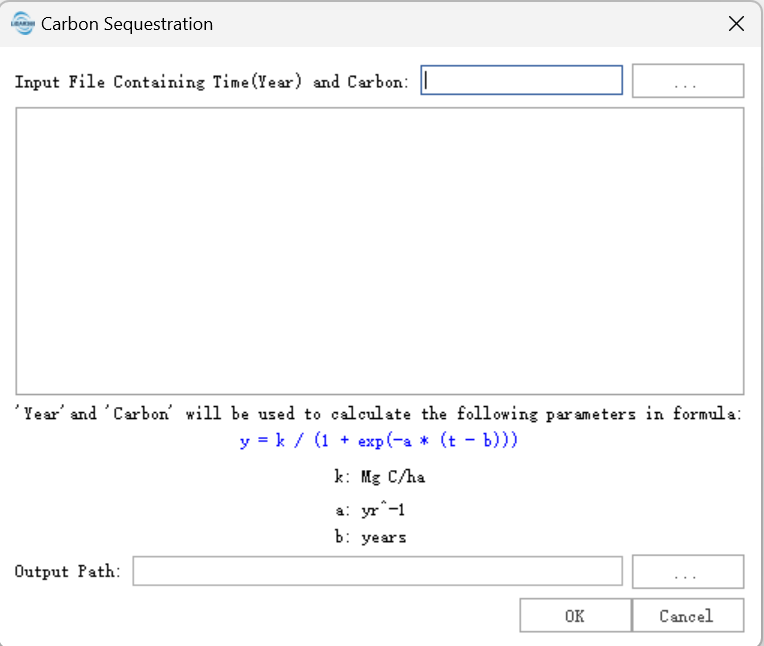
Carbon Sequestration Estimation is used to fit and estimate carbon sequestration trends from carbon content data of different periods. Users can import a CSV file containing year and carbon content fields. The program reads the selected columns, displays the data in a table, and fits the carbon content trend over time with a logistic formula. After execution, an HTML report is generated, including the fitted model parameters and the carbon sequestration trend curve.
The logistic formula can describe a process in which carbon content increases over time and gradually approaches a stable level.
In the formula, Y represents carbon content, t represents year or time, K represents the theoretical upper limit of carbon content, a is related to the initial state, and b is the growth rate parameter.
Usage
Click TLS Forest > Carbon Sequestration Estimation.
Parameter Settings
Import CSV File: Import the CSV file used for carbon sequestration estimation. The file should contain at least year and carbon content columns.
Year: Select the field that represents year in the CSV file. After selection, the column data is displayed in the table below.
Carbon Content: Select the field that represents carbon content in the CSV file. After selection, the column data is displayed in the table below.
Data Table: Displays the selected year and carbon content columns so that the input data can be checked.
Logistic Formula Description: Shows the logistic formula and parameter meanings used by the fitting model.
Output Path: Save path of the result HTML file.
OK: Executes carbon sequestration estimation. The program fits a logistic curve using the selected year and carbon content data and generates an HTML result file.
Output
The output is an HTML file that mainly contains:
Fitted Parameters: Model parameters such as theoretical upper limit, initial state parameter, and growth rate parameter.
Curve Chart: Original carbon content data and the fitted carbon sequestration trend curve.