Convert OBJ to 3D Tiles
Function Overview
Converts OBJ format files into 3D Tiles model format.
Usage
Click Data Management > Model Conversion > Convert OBJ to 3D Tiles.
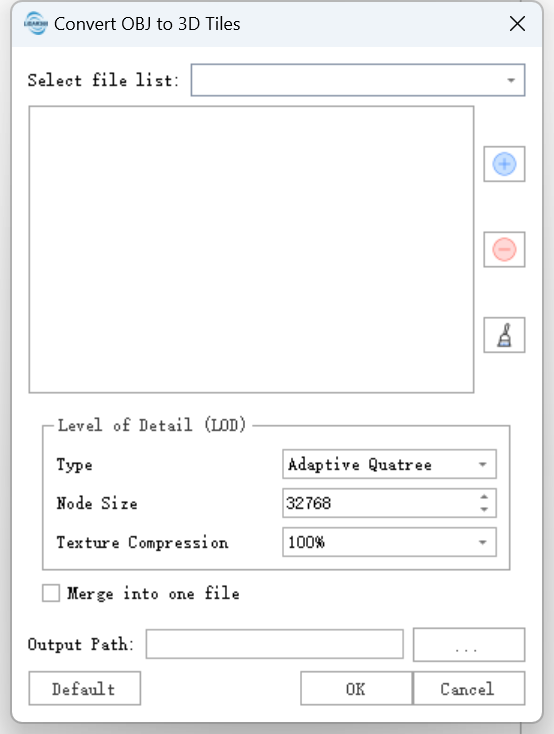
Parameter Settings
- File List: List of files to process.
 : Add files to convert from external sources.
 : Select a file in the list and click this button to remove it.
 : Click this button to clear all files from the list.
Level of Detail(LOD)
- Type:Adaptive quadrical trees are suitable for large-scale terrain data with small z-dimensions. Adaptive octagonal trees are suitable for consistent data in all three dimensions.
- Node Size:The maximum number of triangular panels allowed within each tile node.
- Texture Compression: The quality of the texture relative to the original texture. 100% means no compression, and the smaller the value, the higher the compression, resulting in a smaller texture file.
Merge into One File:Enabling this parameter generates a root node file for all conversion results after the conversion ends.
Output Path: Directory path for the output files. After execution, the converted files will be generated in this folder.