TLSForest
TLS Forest module has two modes: Basic and Advanced. Click the button at upper-right corner to select mode.Basic mode provides one-click processing for TLS analysis.
Advanced
Tools of Advanced mode is shown as figure below:

Forest Metrics: Calculate Forest Metrics by Grid, Calculate Forest Metrics by Polygon, Calculate Forest Metrics by Forest Stands (TLS), Quantify Spatial Structure
Segmentation: Trunk-based Tree Segmentation, Universal Tree Segmentation, Point Cloud Segmentation from Seed Points, Extract Tree Trunks (TLS)
Tree Attributes: Individual Tree Attributes Statistics, Extract Tree Crown Boundaries, Estimate Tree Biomass, Tree Species Identification, Tree Species Library, Custom Tree Species Classification Model Training, View Azimuth and Distance, Tree Attribute Format Conversion
Registration: Automatic Registration of Forest, Match Tree Locations
Thematic Analysis: Forest Structure Change Detection, Individual Tree Report, Stand Tree Volume Analysis, Forest Tending Planning
TLS Tools include: Clear Tree ID, Clear Tree ID by File, Mosaic ITS, Extract by Tree ID, Generate Tree Model, Carbon Sequestration, TLS Seed Point Editor, Individual Tree Editor, DBH Measure, Classify Tree Species from Point Clouds
Basic
Tools of Basic mode is shown as figure below:

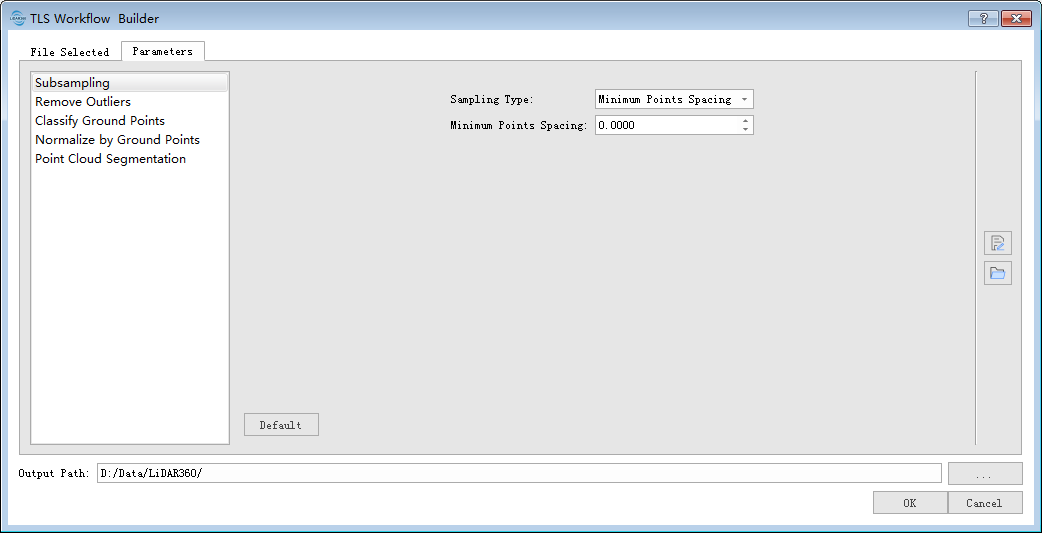
Click "Run" and a dialog will pop up. Click "File Selected" and select the point cloud file to be processed. Then, go to Parameter tab and set parameters for functions. After that, click "OK" and batch process the data, results will be saved to the specified Output Path.
TLS Tools include: Clear Tree ID, Extract by Tree ID
TLS Forest Editor includes: DBH Measure, Tree Species Marker, TLS Seed Point Editor, Individual Tree Editor