Export Annotation Report
Function Description: Generate a report for floor plan vectors and annotations according to standard drafting specifications
Steps
1.Click Export Annotation Report button to open the dialog box:
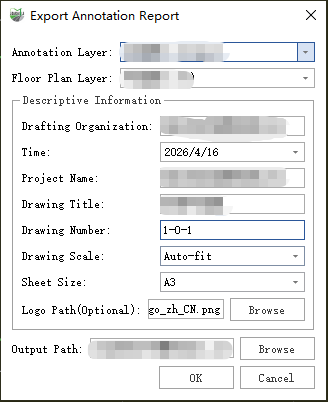
Parameter dialog
Parameter Description:
- Annotation Layer: Select the layer containing the annotations to be exported.
- Floor Plan Layer: Select the layer containing the floor plan vectors (walls, doors, windows) to be exported.
- Drawing Organization: The company or organization responsible for creating the floor plan.
- Date, project name, drawing number, and drawing title can all be filled in as needed.
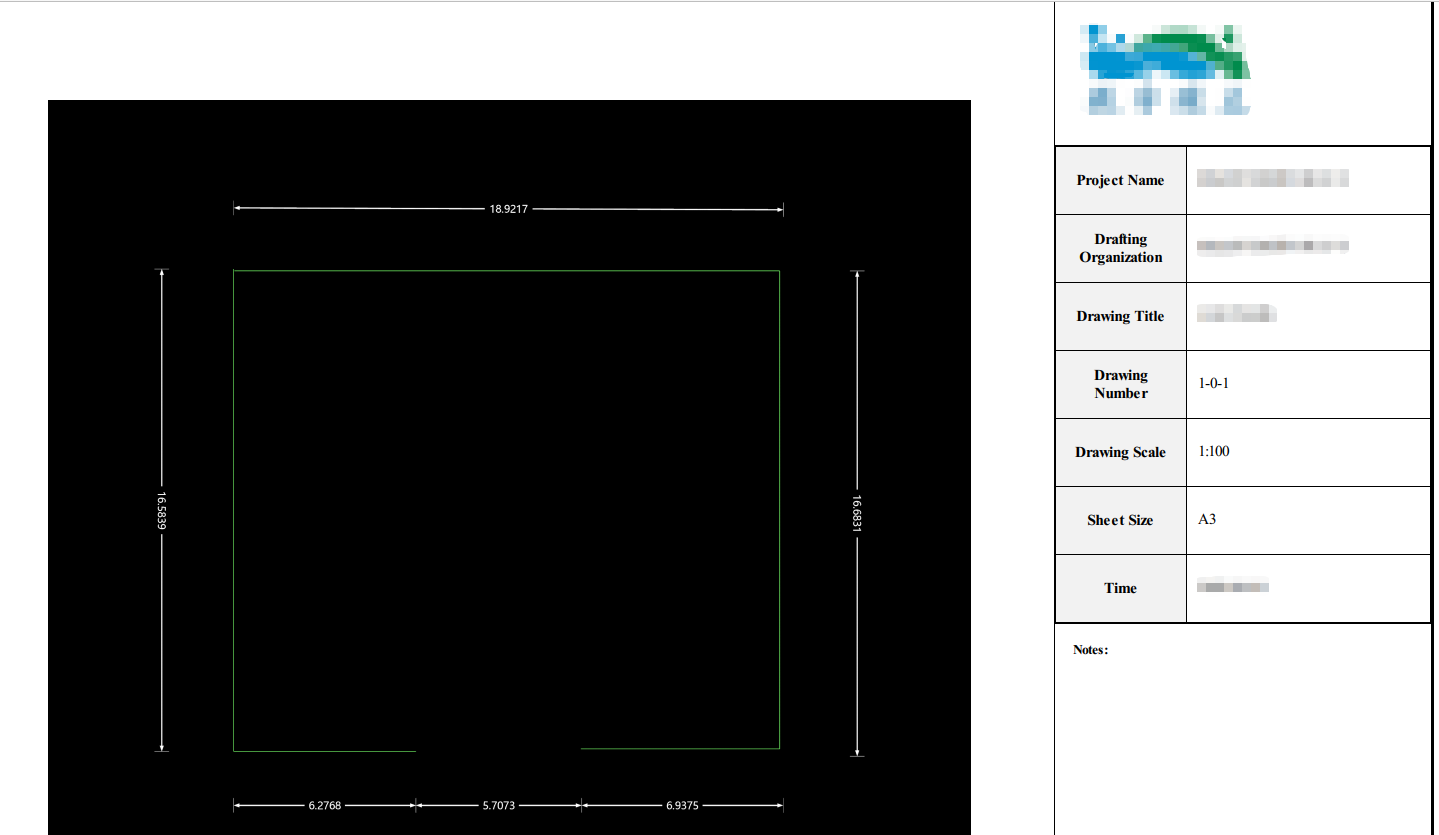
- Drawing Scale: The ratio between the exported annotations, floor plan vectors, and the output paper size. For example, 1:100 means 1 mm on paper corresponds to 100 mm in the world coordinate system. The default is auto-fit, which calculates the optimal scale based on the selected paper size and actual vector dimensions for the best viewing effect.
Note: To ensure the report image appears properly aligned (horizontal and vertical), use the “Set Horizontal” function beforehand to adjust the floor plan vectors to the desired orientation.
- Sheet Size: Select from A0 to A4 paper sizes for output. The default is A3.
2.Report Example