Point Cloud-based Distress Detection
Description: Based on the geometric feature analysis of high-precision single-line laser point clouds, this function detects pavement distress areas and supports seven types of distress: rutting, depressions, potholes, upheavals, bumps, waves, and shoving, providing distress data for PCI.
Steps
Click the Point Cloud-based Distress Detection
 button to open the following dialog box: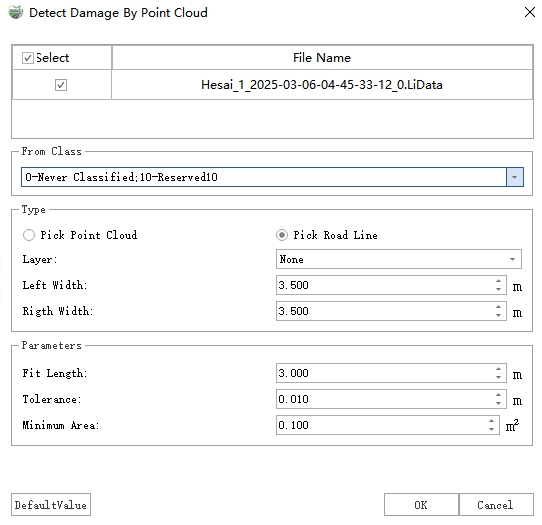
Point Cloud-based Distress Detection
Select the lane line as the road line, and after completing the settings, click OK to perform distress detection.
Once the detection is complete, two types of results are output: vector polygons and point cloud extra attributes.
Vector Polygons: Vector results are stored as polygons in the "Distress" layer, recording information such as distress type, severity, area, length, width, and height for each distress.
Additional Attribute: The height value corresponding to each distress point in the point cloud is written into the extra attribute "DistressHeight", which can be displayed as follows:
- Display: In the View Mode window, select "Intensity" from the Color By drop-down box and check With Pavement Distress. The display effects are as follows:
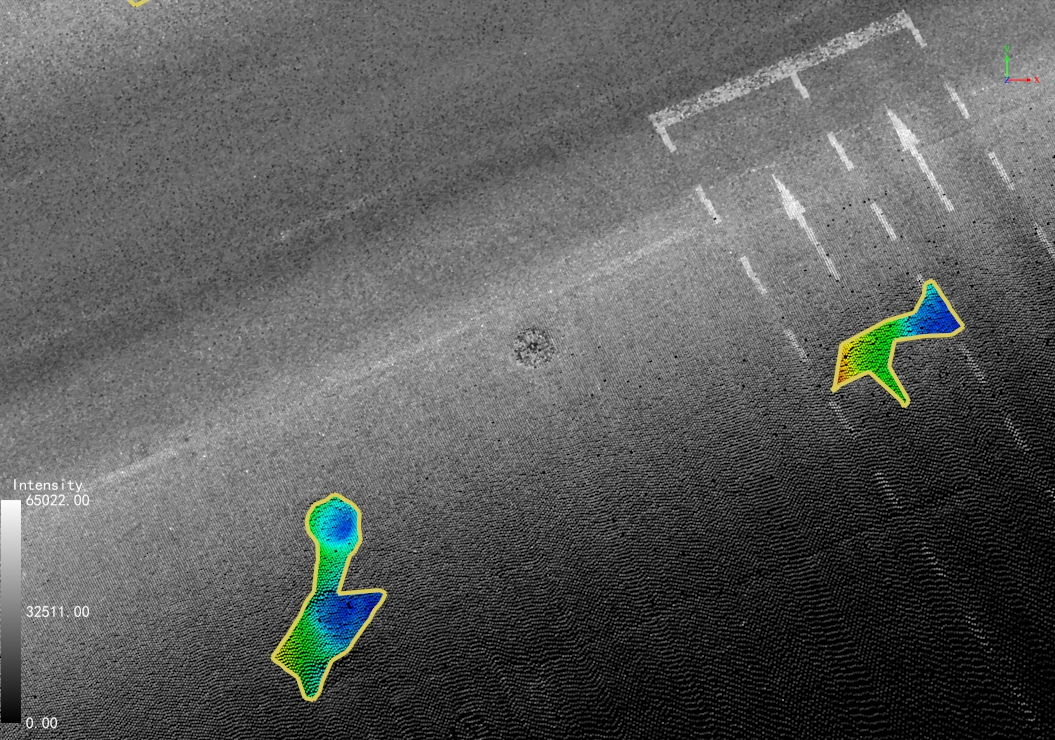
Pavement Distress Rendering
- Height: Use the Single Point Selection function to view the "DistressHeight" attribute value for each point to check the specific height. Negative values indicate depression points, and positive values indicate upheaval points.
Parameter Settings
Point Cloud File: Select the point cloud files to be used for detection.
From Class: If point cloud classification has been performed, select the "Ground" class; otherwise, select all classes. (To obtain more accurate results, it is recommended to perform point cloud classification first).
Road Line: Select lane lines to set the lane range for distress detection.
Lane Width: The width of a single lane.
Left Lane Number: The number of lanes to the left of the road line.
Right Lane Number: The number of lanes to the right of the road line.
Parameters
Tolerance: The depth/height threshold. Points with values greater than this are considered distress.
Mininum Area: The area threshold. Distress areas smaller than this value will be filtered out.