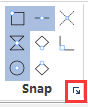
### Entity Snap ###

Vector Editor provides a variety of snapper operations, The function can control the point location clicked by the mouse, which can improve accuracy of vectorization.


#### Snap on Endpoint ####

<div><img style="position:relative;top:-7px;left:2px" src='../../Icon/VectorEditor1/snapendpoint.svg' width = '32'><p style="position:relative;top:-40px;left:36px">Snap startpoints and endpoints, such as starting point and ending point of one line.</p></div>

#### Snap on Entity ####
<div><img style="position:relative;top:-7px;left:2px" src='../../Icon/VectorEditor1/snapNearest.svg' width = '32'><p style="position:relative;top:-40px;left:36px;width:92%;">Select the closed point of entity, snapping can move along the entity.</p></div>

#### Snap Center ####

<div><img style="position:relative;top:-7px;left:2px" src='../../Icon/VectorEditor1/snapCirclePoint.svg' width = '32'><p style="position:relative;top:-40px;left:36px;width:92%;">Snap the center of the entity, such as the center of a circle.</p></div>

#### Snap Middle  ####

<div><img style="position:relative;top:-7px;left:2px" src='../../Icon/VectorEditor1/snapmiddle.svg' width = '32'><p style="position:relative;top:-40px;left:36px;width:92%;">Snap middle points of an entity, such as the midpoint of the line segment.</p></div>

#### Snap Intersection  ####

<div><img style="position:relative;top:-7px;left:2px" src='../../Icon/VectorEditor1/snapintersection.svg' width = '32'><p style="position:relative;top:-40px;left:36px;width:96%;">Snap intersecting points of multiple entities, such as the intersection of two lines.</p></div>

#### Restrict Orthogonal ####

<div><img style="position:relative;top:-7px;left:2px" src='../../Icon/VectorEditor1/SnapNewOrthogonal.svg' width = '32'><p style="position:relative;top:-40px;left:36px;width:92%;">After selecting a current point, the subsequent selected points can only move in the orthogonal direction (vertical or horizontal direction) of the current point.</p></div>

#### Snap Point Cloud ####

<div><img style="position:relative;top:-7px;left:2px" src='../../Icon/VectorEditor1/snapPointCloud.svg' width = '32'><p style="position:relative;top:-40px;left:36px;width:92%;">Snap points on the point cloud, this snap is suitable for drawing corners of house etc.</p></div>


#### Snap Model####


<div><img style="position:relative;top:-7px;left:2px" src='../../ScreenShot/en/vectoreditor/SnapSetting.png' ><p style="position:relative;top:-40px;left:90px;width:92%;">Snap the closest point of model.</p></div>