## CHM ##
### Functional Overview ###
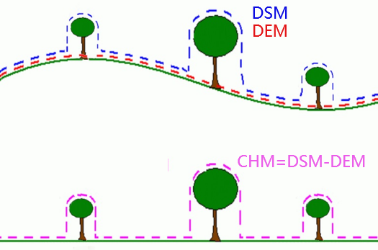
Canopy Height Model (CHM) can be obtained by subtracting DEM from DSM, and the following figure shows the relationship of DSM (Digital Surface Model), DEM (Digital Elevation Model) and CHM(Canopy Height Model).
### Usage ###
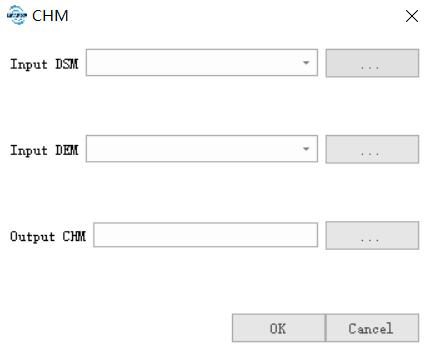
**Using this function requires a DEM and a DSM. **Click on the Terrain* > CHM*.
### Parameters Settings ###
- **Input DSM**: Input a DSM file, the generation method can be seen [in DSM](DSM.md).
- **Input DEM**: Input a DEM file, the generation method can be seen in [DEM](DEM.md).
- **Output CHM**: The path of CHM file to save.
----------
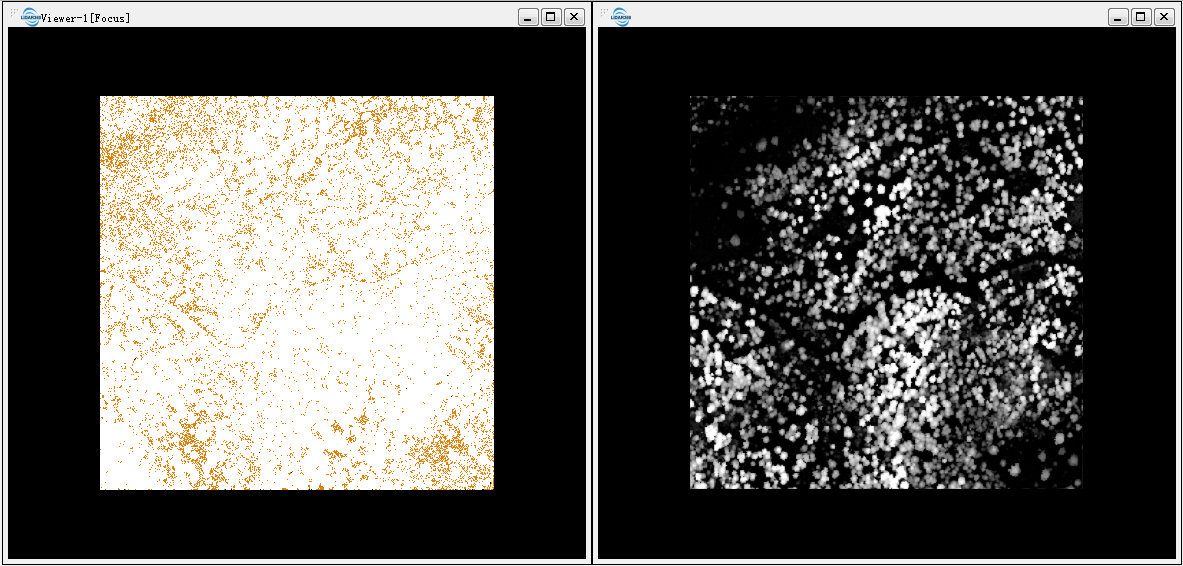
The original point cloud (seen left below) and the generated CHM(see figure right below).