## Aspect ##
### Functional Overview ###
Aspect refers to the orientation of the terrain slope, defined as the direction of the projection of the slope normal on the horizontal plane. Slope direction is of great importance for mountain ecology. The slope is an angle, which is measured clockwise with a range between 0 (north) and 360 (north as well). This function can analyze terrain aspect based on DEM and generates aspect map.
### Usage ###
Click on *Terrain > Aspect*.
### Parameters Settings ###
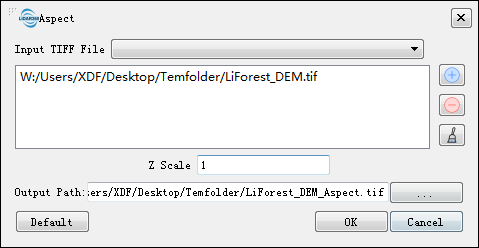
- **Input TIff File**: Input DEM file in Tiff format. The Drop-down box allows to select the Tiff data that has already been opened in the LiDAR360 software. User can also can click  to import Tiff data.Delete the imported Tiff data by clicking
  .Clear all the imported data by clicking
 .
- **Z Scale (default value is "1")**: The stretch scale of the Z value.
- **Output Path**: The path where the generated aspect file to be saved.
- **Default Value**: Click this tool option to restore all default parameters.
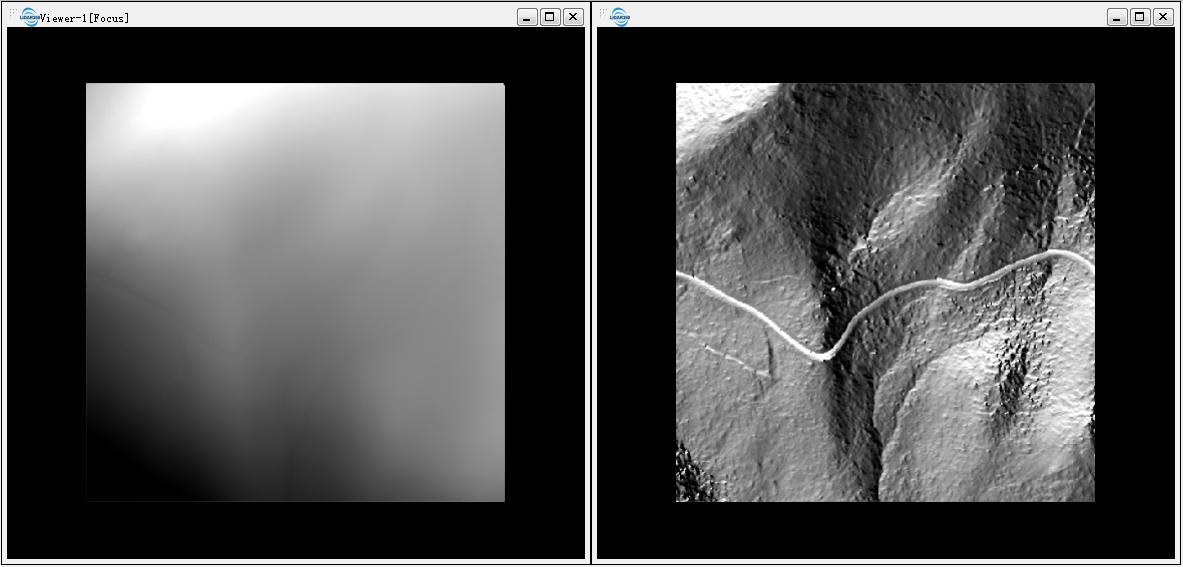
The DEM (left below) and the aspect map (right below).
.
- **Z Scale (default value is "1")**: The stretch scale of the Z value.
- **Output Path**: The path where the generated aspect file to be saved.
- **Default Value**: Click this tool option to restore all default parameters.
The DEM (left below) and the aspect map (right below).