## Convert ASCII to BLH ##
### Summary ###
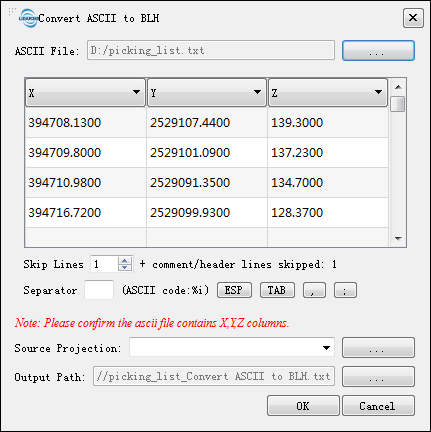
Transform the X, Y, Z information stored in the ASCII data to B (latitude), L (longitude), and H (ellipsoid height) in Geographic Coordinate System. All the other attributes in ASCII file will be kept.
### Usage ###
Click *Data Management > Projections and Transformations > Convert ASCII to BLH*.
### Settings ###
- **Input ASCII Data**: Input an ASCII file. The supported formats include *.txt and *.CSV.
- **Coordinate System of Current Data**: Select the coordinate system of current point cloud file
- **Skip Lines**: The number of lines that need to be skipped for the currently selected ASCII data (usually description information or column headers).
- **Separator**: The separator of each component of the selected ASCII data.
- **Source Projection**: Projection information of the selected ASCII data.
- **Output Path**: Output the converted file to the specified path.