## Merge of LiBIM file ##
This function is used for the merge of several LiBIM files.
### Usage ###
Click *Data Management > 3D Building Tools > Merge LiBIM Files*.
### Parameters Settings ###
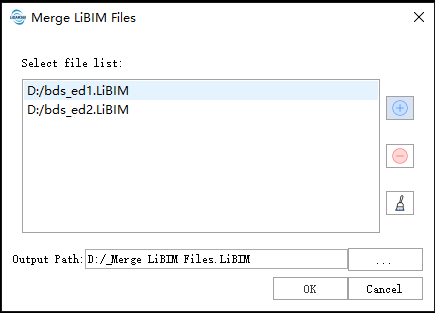
- **File list**: Input the LiBIM files to be merged.
Users need to click the button to add the file data to be converted from outside; Users can select a file in the list and click
  button to remove the file from the list.
Click
button to remove the file from the list.
Click button to clear all the data in the list.
- **Output path**: Select the output file directory path. After the algorithm is executed, the merged LiBIM file is generated.
button to clear all the data in the list.
- **Output path**: Select the output file directory path. After the algorithm is executed, the merged LiBIM file is generated.